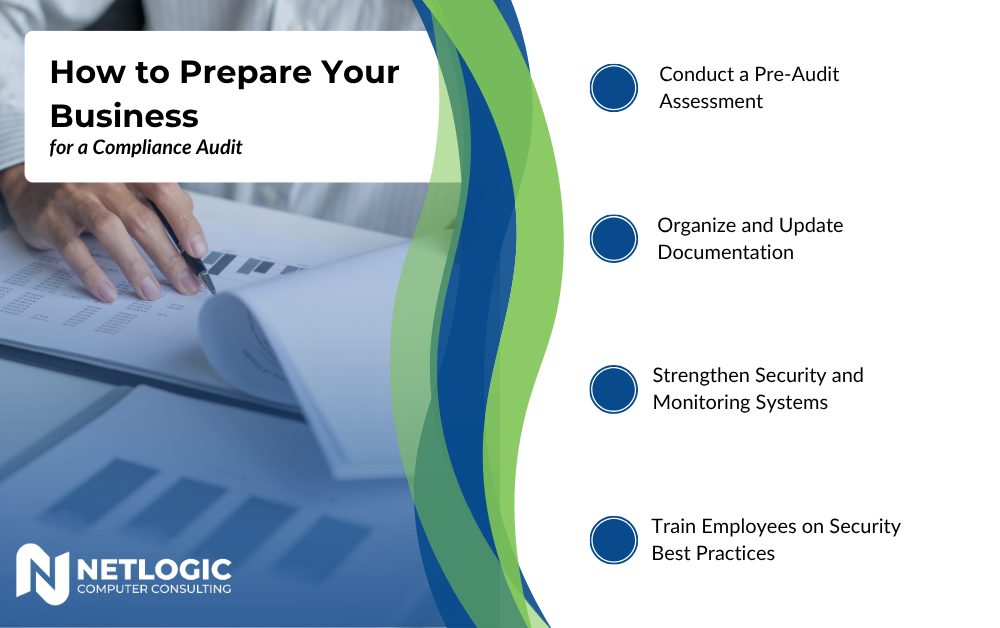
For small and midsize businesses (SMBs), audits often feel like a productivity tax. Whether it’s SOC 2, ISO 27001, HIPAA, or a customer‑driven review, the scramble is familiar: digging through inboxes for screenshots, asking IT for logs they no longer have, and realizing written policies don’t quite match how work actually gets done.
The good news? Being audit‑ready doesn’t require enterprise tooling or a six‑month prep cycle. With clear audit scope, smart evidence capture, and practical policy mapping, SMBs can stay continuously prepared without burning out their teams.
This article breaks down audit readiness into approachable, checklist‑driven steps designed for real‑world SMB environments.
Why Audits Feel So Painful for SMBs
Audits hurt most when they’re reactive. Common causes include:
- Unclear audit scope that expands mid‑audit
- Evidence scattered across tools and people
- Policies written once and never operationalized
- Overreliance on a single “audit hero” employee
Most of these aren’t technical failures, they’re governance gaps. Fixing them starts with structure, not software.
Step 1: Define (and Contain) Your Audit Scope
Audit scope is the boundary between a manageable review and a never‑ending one. If you don’t define it clearly, the auditor will.
SMB Audit Scope Checklist
Before the audit begins, document:
- Systems in scope
Cloud platforms (Microsoft 365, Google Workspace), line‑of‑business apps, identity providers, backups.
- Data types in scope
Customer data, employee data, financial data, regulated data (PHI, PCI, etc.).
- People in scope
Employees, contractors, admins, third‑party vendors.
- Time period
Typically the last 3–12 months. Confirm this explicitly.
- Exclusions
Legacy systems, archived data, or business units not relevant to the audit.
Pro Tip: Put this in writing and get auditor acknowledgment before evidence requests begin. It immediately limits churn and surprise asks.
Step 2: Normalize Evidence Capture Before You Need It
Most audit stress comes from evidence retrieval, not findings. SMBs often have the controls—they just can’t prove them quickly.
Think of evidence capture as a routine habit, not a one‑time event.
What Counts as Audit Evidence?
Auditors typically look for:
- Screenshots (configurations, settings, dashboards)
- System logs or reports
- Written policies and procedures
- Access reviews and approvals
- Training records
- Change management history
If you know this, you can capture evidence progressively.
SMB Evidence Capture Checklist
Create a lightweight, repeatable system:
- Central evidence folder
One secure location (SharePoint, Teams, Drive) with controlled access.
- Standard naming convention
Example: 2026‑Q1‑M365‑MFA‑Enabled.png
- Quarterly snapshots
Capture key configurations every quarter—even if no audit is scheduled.
- Export > screenshot when possible
CSVs and reports are more credible than images alone.
- Owner assigned per control
One person accountable for each evidence set.
This turns audits from a fire drill into a filing exercise.
Step 3: Make Policy Mapping Practical (Not Performative)
Policies are only useful if they map cleanly to how controls actually work. Auditors don’t just want to see policies—they want policy mapping that connects words to actions.
What Is Policy Mapping?
Policy mapping is the alignment between:
- What you say you do (policies)
- What you actually do (technical and operational controls)
- What you can prove (evidence)
When this alignment is weak, audits stall.
SMB Policy Mapping Checklist
For each policy, confirm:
- Policy purpose is clear
Example: “Access is granted based on least privilege.”
- Control reference exists
Example: Microsoft Entra ID role‑based access + approval workflow.
- Evidence is identified
Example: Access review reports, admin role list, approval tickets.
- Owner is named
Someone accountable for policy maintenance and enforcement.
- Review cadence is defined
Annual review is usually acceptable for SMBs.
You don’t need dozens of policies. A small, well‑mapped set beats a bloated policy library every time.
Step 4: Use Checklists That Match Real‑World IT
Below are core IT and data governance areas with SMB‑friendly audit readiness checklists.
Identity & Access Management
- MFA enabled for all users (especially admins)
- Admin roles minimized and documented
- Quarterly access reviews completed
- Termination process documented and followed
- Evidence saved (role lists, review sign‑offs)
Device & Endpoint Security
- Device inventory maintained
- Encryption enforced on company devices
- Policies for personal vs company devices defined
- Lost/stolen device process documented
- Evidence captured (MDM reports, screenshots)
Data Governance & Protection
- Data classification defined (even if simple)
- Sharing controls configured and documented
- Backup and retention policies set
- Recovery testing performed (annually at minimum)
- Evidence retained (backup logs, test results)
Change Management
- Changes logged (tickets, approvals, or email trails)
- High‑risk changes reviewed before deployment
- Emergency change process defined
- Evidence stored consistently
These checklists don’t require enterprise governance tooling—just consistency.
Step 5: Reduce Burnout With Audit Muscle Memory
The goal isn’t just passing audits. It’s building audit muscle memory so preparation becomes routine.
Burnout‑Reduction Tips for SMBs
- Spread tasks across the year, not the quarter before the audit
- Document processes once, then refine—not rewrite
- Reuse evidence across audits when scope overlaps
- Avoid over‑engineering controls you can’t sustain
- Treat audits as validation, not judgment
Audit readiness works best when it’s boring.
Audit‑Ready Is a Governance Outcome, Not an Event
SMBs don’t fail audits because they lack security—they fail because they lack structure. By clearly defining audit scope, normalizing evidence capture, and aligning controls through policy mapping, audit readiness becomes part of daily operations instead of a recurring crisis.
The result isn’t just a smoother audit. It’s clearer ownership, stronger controls, and less stress for everyone involved.
And that’s what being audit‑ready without the burn really means.